The Story Behind Adding 3D Uno to Playaby
Playabyチームが執筆しています。 当サイトのゲームはすべて自社で開発しており、ガイドを書く際には実際に一通りプレイしています。そのため、上記のコツは実際にゲームの仕組みを試した上での内容であり、一般論ではありません。
Uno is one of those games that seems almost too simple to spend real development time on, until you actually try to seat you and up to nine AI opponents around a single shared table and have the whole thing stay readable. That problem, more than the card rules themselves, is what actually shaped how Uno got built for Playaby.
Why not just a flat 2D card table
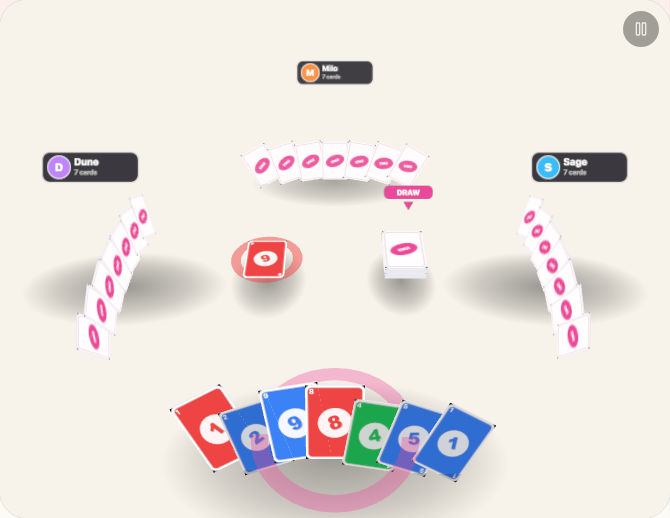
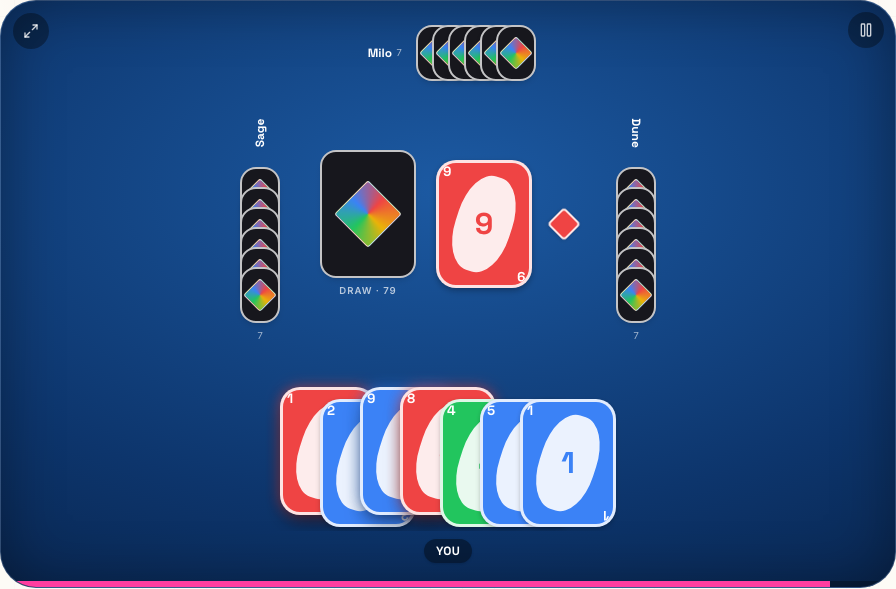
Most Uno implementations, including plenty of well known apps, use a simple flat layout: your hand at the bottom, everyone else represented as a small stack of face-down cards around the edges of the screen. That works fine at four players. It gets cramped and hard to track fast once you're pushing toward eight or nine opponents, which is exactly the range we wanted to support. A 3D table gave every seat its own actual position and distance from the center, instead of squeezing more icons into the same flat strip.
The player count decision: why go up to ten
The table seats up to ten total, meaning you plus as many as nine CPU opponents. That number wasn't arbitrary. Fewer than that and it barely feels different from a normal card game. Push much higher and even a 3D table starts to feel cluttered, with seats crowded close enough together that telling players apart from a glance stops being easy. Ten felt like the ceiling where the table still reads clearly at a single glance.
Dynamic seating was harder than it sounds
Every player count from two up to ten needed its own seating arrangement, not just a scaled down version of the ten-seat layout. Fewer players need more spacing to avoid looking sparse and awkward, while more players need tighter, evenly distributed seats that still leave the center of the table clear for the draw and discard piles. Getting that balance to look intentional at every single player count, rather than just correct at the extremes, took more iteration than the actual card logic did.
Getting card colors right from every seat
A subtler problem: card colors need to read correctly from any camera angle and any seat, not just from directly above. Under real lighting and perspective, a red card can easily wash out or shift depending on the angle it's viewed from, which sounds minor until a player genuinely can't tell whether a card in their hand is red or a slightly different shade entirely. Flattening the shading so colors stay true regardless of seat or angle mattered more to actual playability than most of the fancier visual details.
Teaching the CPUs to occasionally slip up
The AI opponents are supposed to feel like they're actually playing the game, not perfectly executing an algorithm every single turn. One deliberate detail: the CPUs usually remember to call UNO the instant they're down to one card, the same way the rules require from a human player, but not always. Leaving them occasionally catchable, the same way a real friend might forget, does more for how the game actually feels than making every opponent flawless would.
What this is not (yet)
To be direct about it: every seat besides yours is filled by a CPU opponent, not a real person on another device. This is a single-player card game against AI at a full table, not networked multiplayer between friends. That's a genuinely different technical project (keeping game state in sync in real time across multiple devices) from what shipped here, and it's not something we're promising is coming. It is, however, the single most requested feature we've heard about since this went live, so it's fair to say we're aware of the gap.
Do I need other people, or an internet connection, to play a full ten-seat game?
No. Since every seat besides yours is a CPU opponent, you can start a full table by yourself, and the game runs entirely in your browser without needing anyone else online at the same time.
Can I still call UNO the same way the physical game requires?
Yes. A dedicated button appears the moment you're down to your last card, and there's a keyboard shortcut for it too, so you can call it the instant the rule requires rather than fumbling to find a button under pressure.
None of this makes Uno more complicated to actually play; the rules are exactly the ones you already know. What changed is everything underneath those rules: how many opponents the table can hold, how it stays readable at every seat count, and how the AI is tuned to feel less like a perfect machine and more like it's actually sitting at the table with you.