

Checkers Online Multiplayer: Quick Match vs. Creating a Private Room
Written by the Playaby team. We build every game on this site ourselves and play through each one while writing its guide, so the tips above come from actually testing the mechanics — not generic advice.
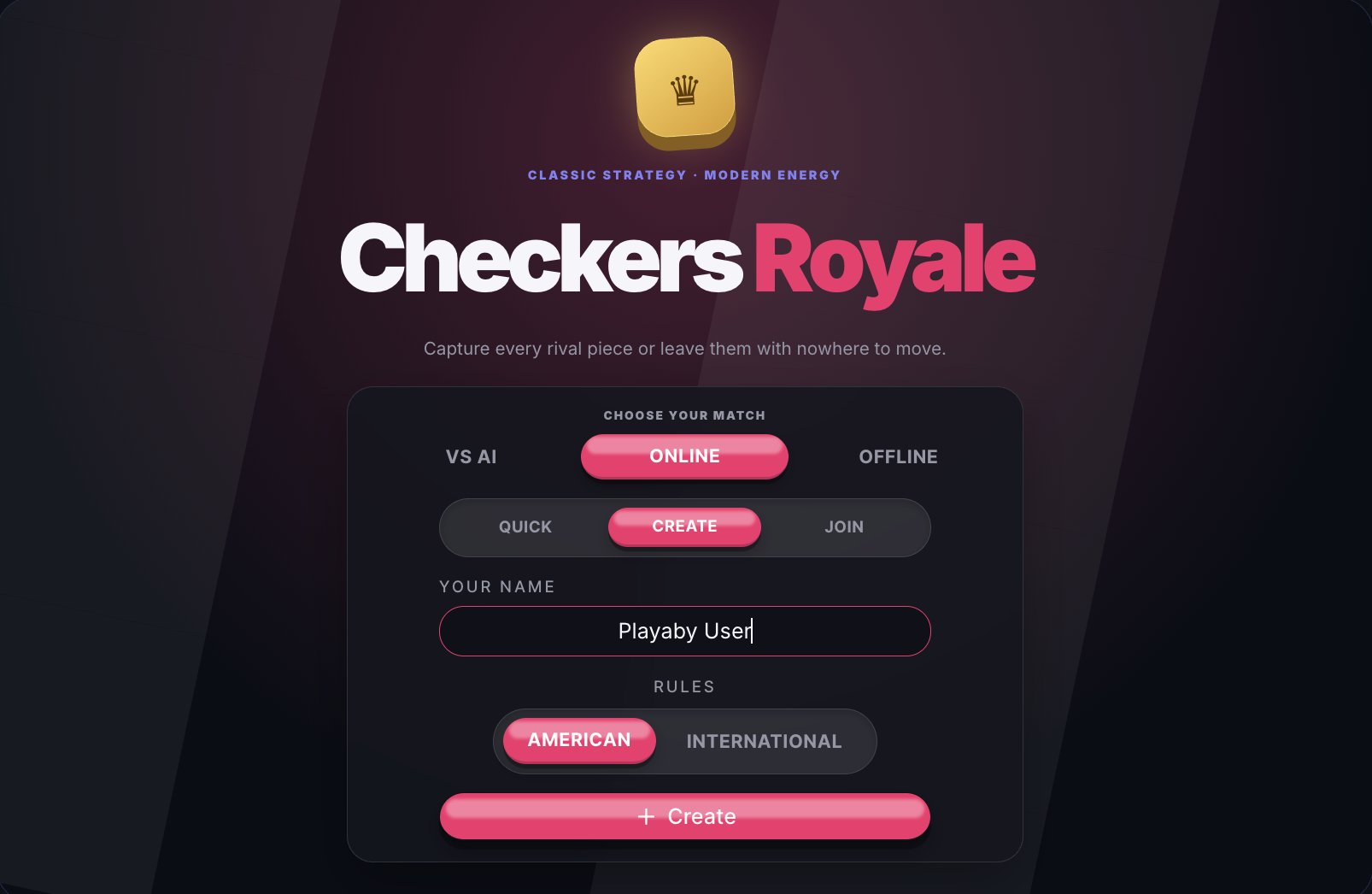
Open Checkers Royale on Playaby and the start screen splits into three top-level choices — vs AI, Online, and Offline. Tap Online and a second row appears underneath it: Quick, Create, and Join. All three get you into a real game, but they solve different problems, and picking the wrong one just wastes a step.
Quick: play right now, no code needed
Quick is the fastest path from the start screen into an actual game. Tap it and a short "Searching…" animation runs for a couple of seconds before revealing your opponent's name, flag, and avatar — no room code to create, share, or copy in, and nothing to coordinate with anyone beforehand. It's built for the moment you just want to play a match right now, not set one up with a specific person.
Create: playing with one specific friend
Create is for when you already know exactly who you want across the board from you. Type your name, hit "+ Create," and you get a short room code plus a one-tap share link. Send either one over any way you'd normally message someone, and the match starts the instant your friend joins — there's no separate "ready up" step waiting on either side.
Join: on the other end of an invite
If a friend sent you a code instead of a link — or you're the one who received it — Join is where you type it in. Get a digit wrong, or catch a room that already expired, and you get a direct "room not found" message instead of a blank screen leaving you to guess whether anything happened.
Your ruleset carries over, even before you Create or Join
Notice the American/International rules toggle sitting on the exact same screen as Quick, Create, and Join? That's not just decoration — whichever ruleset you have selected before you start applies to the online match too, the same way it would against the AI or in Offline mode. Pick International for the bigger 10×10 board with flying kings and forced multi-jump chains, or stick with American for the familiar 8×8 game most people already know.
Do I need an account to use Quick Match or create a room?
No. Every mode on this start screen — vs AI, Online, and Offline alike — works with nothing but a display name: no account, no email, and no download. That name field only controls what your opponent sees for the length of that one match.
What happens if I lose connection mid-match?
A private room made through Create or Join holds your seat, so reconnecting with the same code picks the match back up where it left off. Quick doesn't carry a code at all, so backing out and tapping Quick again simply starts the search over from scratch.
Ready to jump in? Checkers 2 Player & Multiplayer is one tap away from the start screen — try Quick for a match right now, or Create a room and send the link to whoever you actually want to beat.